project-collaboration
Jan 20, 2026
The Calm Alternative to Project Management Tools That Try to Do Everything
The Calm Alternative to Project Management Tools That Try to Do Everything
The Calm Alternative to Project Management Tools That Try to Do Everything
Project management tools with every feature often overwhelm users and hide the actual work. This article explains why a calmer alternative that keeps work at the center can help you focus, reduce friction, and get more done.
Project management tools with every feature often overwhelm users and hide the actual work. This article explains why a calmer alternative that keeps work at the center can help you focus, reduce friction, and get more done.

By Pete Cranston
By Pete Cranston
By Pete Cranston
Growth at Complex.so
Growth at Complex.so
Growth at Complex.so
6 min read
6 min read
Complex.so is calm task management for real work
No separate docs. No noise. No unnecessary features.
Try it for free
There was a time when project management tools meant simple lists and checkboxes.
Today they mean chat boxes, comments, automations, multiple workflows, dashboards, calendars, reporting views, integrations, email syncing, AI assistants, and features most teams never ask for.
For many people, all of that feels overwhelming. Too much noise. Too many places to click. Too many ways to get distracted from the work itself.
If you have ever signed up for a tool and spent more time organizing your workspace than doing your work, you are not alone.
This article explores why a calmer alternative to “do everything” software can actually help you get more done.
Tools that try to do everything often do nothing well
When you look at the biggest project management tools, you see a pattern.
They start with a good idea.
Then they add features.
Then more features.
Then more ways to use the features.
The honest problem is not that the features exist.
The problem is that most teams do not need all of them every day.
For a small team or an individual contributor, work is usually one of these things:
Thinking
Writing
Planning
Executing
Reviewing
Most tools add tracking features, collaboration workflows, and communication layers on top of those basic needs. The result can be:
More noise
More options
More decision points
Less focus
In too many cases, the interface becomes busier than the actual work.
When a tool feels heavy, it is doing something you do not need
For many people, the break point happens when they click into a project and see 8 or 10 tabs, views, and dropdowns. They ask questions like:
Where should I put this task?
Should this be a task, a subtask, or a doc?
Is this a project or a board?
Do I have to set all these fields now?
The core work gets buried under options.
This is similar to the idea in most task managers fail because they forget your actual work. A long list of features does not help if the work itself still lives outside the tool or in disconnected places.
A calm tool is designed differently. It focuses on what people actually do, not what a checklist of features can show.
A calmer tool means far fewer decisions
Every choice in a tool is a tiny decision you have to make.
Choose a view. Choose a board. Choose a filter. Choose a comment. Choose a setting.
All of those small choices add up.
A calmer alternative reduces the number of choices so that you can spend your energy on actual work.
When you open a task manager and it only asks you to do one thing — begin work — it feels like someone removed the speed bumps from your mental path.
This is not a new idea. It is similar to the philosophy in why I built a project management tool without chat or noise. Tools that try to be everything become noisy, and most teams do not need that noise.
Calm tools let you get into a flow without adjusting settings first.
What calm tools do differently
Here are some of the ways a calm alternative can help you focus on work rather than on the tool itself.
1. Tasks are the workspace
Calm tools make tasks more than labels. They allow tasks to hold the work itself and the context around it.
In many tools, a task is just a title and a due date.
You still have to open a separate document to do the thinking and writing. That splits your attention.
Calm tools allow the work to live inside the task. They give you:
space to write
notes
links
decisions
files
context
All in one place.
This removes the need to jump between apps just to get one piece of work done.
2. Files support work, not clutter it
Files are part of most workflows. Screenshots, PDFs, images, docs, or reference files often live alongside tasks.
The calm alternative supports files as attachments to tasks, instead of forcing you into a separate file module or view. The files stay where the work happens.
You do not have to chase them in another tab or tool.
3. Calendar is helpful, not dominant
A lot of tools push you into the calendar like it is the main way to plan work.
But most work is not a meeting at 2 pm. Most work is tasks with context. Calendar views can be useful for deadlines and planning at a glance, but they should not replace your main workspace.
A calm tool gives you a calendar perspective when you need it, without requiring you to live there.
4. No talky features unless you need them
Chat, messaging boards, and comment threads are fine in the right place, but they are not work.
They are social layers on top of work.
If your tool spends more energy asking you to engage in conversation than to complete tasks, it is competing with your productivity rather than helping it.
Calm alternatives let you use your existing communication tools alongside the work, instead of burying work under new threads.
When more features are a burden
Features can be good when they are solving real problems.
But they can be a burden when they ask you to think about the tool more than the work.
Imagine someone gave you a bike that also had:
a clock
a compass
a music player
a built-in GPS with 20 settings
notifications whenever you paused
At some point the bike is no longer about cycling. It is about choosing gears, modes, settings, customizations.
Tools that try to do everything end up like that bike. You spend energy using the tool instead of getting the job done.
The calm alternative removes unnecessary gear so you can focus on forward motion.
What calm tools feel like in practice
People who switch to calmer tools often describe it in the same way:
“I spend less time setting up and more time doing.”
“My tasks feel like they hold my work, not just list it.”
“I know where my work lives.”
“I am not switching between five apps to finish one thing.”
That feeling comes from removing friction, not adding features.
It comes from respecting the fact that work is not a workflow chart. Work is something you do.
Who benefits most from a calm approach
Calm tools are especially helpful for:
Individuals working solo
Small teams of 2–5 people
People who do creative work
People who plan and write
People who want clarity without clutter
If you are part of a large enterprise with complex reporting needs, a calm tool might feel too simple. That is fine. Different tools solve different problems.
The calm alternative is not for everyone. But it is for most people who feel overwhelmed by dashboards and options.
A question worth asking
If your current tool feels heavy, try this thought experiment:
When you open it, how often is your next action work versus setup?
If you are spending more time choosing views, filters, or settings than actually working, the tool is part of the problem.
A calm alternative lets you open the tool and begin the work, not the setup.
How to evaluate calm alternatives
Here are questions you can ask when trying a calmer tool:
Can I start work without multiple clicks?
Does the task contain the context I need?
Do files live where they belong?
Is the calendar optional, not forced?
Does the interface stay out of my focus?
If the answer is yes to these, you are moving in the right direction.
Calm is not a lack of power
It is a different kind of power.
Instead of giving endless levers and knobs, calm tools give you focus. They cut the noise so your attention stays on the work, not on the tool.
When a tool feels light instead of busy, you find yourself opening it more often, not less.
That is the real test.
Final thought
Tools that try to do everything might feel powerful, but they often miss the fact that work is not features. Work is context, thought, and forward motion.
A calm alternative focuses on what matters. It lets you do the work where the tasks are, with the context you need, without pulling you into every corner of a bloated interface.
This is not a critique of features. It is an invitation to rethink how work should flow.
If you want your tool to feel like a place you go to work instead of a place you go to manage features, then calm alternatives deserve a chance.
They might be exactly what you need.
There was a time when project management tools meant simple lists and checkboxes.
Today they mean chat boxes, comments, automations, multiple workflows, dashboards, calendars, reporting views, integrations, email syncing, AI assistants, and features most teams never ask for.
For many people, all of that feels overwhelming. Too much noise. Too many places to click. Too many ways to get distracted from the work itself.
If you have ever signed up for a tool and spent more time organizing your workspace than doing your work, you are not alone.
This article explores why a calmer alternative to “do everything” software can actually help you get more done.
Tools that try to do everything often do nothing well
When you look at the biggest project management tools, you see a pattern.
They start with a good idea.
Then they add features.
Then more features.
Then more ways to use the features.
The honest problem is not that the features exist.
The problem is that most teams do not need all of them every day.
For a small team or an individual contributor, work is usually one of these things:
Thinking
Writing
Planning
Executing
Reviewing
Most tools add tracking features, collaboration workflows, and communication layers on top of those basic needs. The result can be:
More noise
More options
More decision points
Less focus
In too many cases, the interface becomes busier than the actual work.
When a tool feels heavy, it is doing something you do not need
For many people, the break point happens when they click into a project and see 8 or 10 tabs, views, and dropdowns. They ask questions like:
Where should I put this task?
Should this be a task, a subtask, or a doc?
Is this a project or a board?
Do I have to set all these fields now?
The core work gets buried under options.
This is similar to the idea in most task managers fail because they forget your actual work. A long list of features does not help if the work itself still lives outside the tool or in disconnected places.
A calm tool is designed differently. It focuses on what people actually do, not what a checklist of features can show.
A calmer tool means far fewer decisions
Every choice in a tool is a tiny decision you have to make.
Choose a view. Choose a board. Choose a filter. Choose a comment. Choose a setting.
All of those small choices add up.
A calmer alternative reduces the number of choices so that you can spend your energy on actual work.
When you open a task manager and it only asks you to do one thing — begin work — it feels like someone removed the speed bumps from your mental path.
This is not a new idea. It is similar to the philosophy in why I built a project management tool without chat or noise. Tools that try to be everything become noisy, and most teams do not need that noise.
Calm tools let you get into a flow without adjusting settings first.
What calm tools do differently
Here are some of the ways a calm alternative can help you focus on work rather than on the tool itself.
1. Tasks are the workspace
Calm tools make tasks more than labels. They allow tasks to hold the work itself and the context around it.
In many tools, a task is just a title and a due date.
You still have to open a separate document to do the thinking and writing. That splits your attention.
Calm tools allow the work to live inside the task. They give you:
space to write
notes
links
decisions
files
context
All in one place.
This removes the need to jump between apps just to get one piece of work done.
2. Files support work, not clutter it
Files are part of most workflows. Screenshots, PDFs, images, docs, or reference files often live alongside tasks.
The calm alternative supports files as attachments to tasks, instead of forcing you into a separate file module or view. The files stay where the work happens.
You do not have to chase them in another tab or tool.
3. Calendar is helpful, not dominant
A lot of tools push you into the calendar like it is the main way to plan work.
But most work is not a meeting at 2 pm. Most work is tasks with context. Calendar views can be useful for deadlines and planning at a glance, but they should not replace your main workspace.
A calm tool gives you a calendar perspective when you need it, without requiring you to live there.
4. No talky features unless you need them
Chat, messaging boards, and comment threads are fine in the right place, but they are not work.
They are social layers on top of work.
If your tool spends more energy asking you to engage in conversation than to complete tasks, it is competing with your productivity rather than helping it.
Calm alternatives let you use your existing communication tools alongside the work, instead of burying work under new threads.
When more features are a burden
Features can be good when they are solving real problems.
But they can be a burden when they ask you to think about the tool more than the work.
Imagine someone gave you a bike that also had:
a clock
a compass
a music player
a built-in GPS with 20 settings
notifications whenever you paused
At some point the bike is no longer about cycling. It is about choosing gears, modes, settings, customizations.
Tools that try to do everything end up like that bike. You spend energy using the tool instead of getting the job done.
The calm alternative removes unnecessary gear so you can focus on forward motion.
What calm tools feel like in practice
People who switch to calmer tools often describe it in the same way:
“I spend less time setting up and more time doing.”
“My tasks feel like they hold my work, not just list it.”
“I know where my work lives.”
“I am not switching between five apps to finish one thing.”
That feeling comes from removing friction, not adding features.
It comes from respecting the fact that work is not a workflow chart. Work is something you do.
Who benefits most from a calm approach
Calm tools are especially helpful for:
Individuals working solo
Small teams of 2–5 people
People who do creative work
People who plan and write
People who want clarity without clutter
If you are part of a large enterprise with complex reporting needs, a calm tool might feel too simple. That is fine. Different tools solve different problems.
The calm alternative is not for everyone. But it is for most people who feel overwhelmed by dashboards and options.
A question worth asking
If your current tool feels heavy, try this thought experiment:
When you open it, how often is your next action work versus setup?
If you are spending more time choosing views, filters, or settings than actually working, the tool is part of the problem.
A calm alternative lets you open the tool and begin the work, not the setup.
How to evaluate calm alternatives
Here are questions you can ask when trying a calmer tool:
Can I start work without multiple clicks?
Does the task contain the context I need?
Do files live where they belong?
Is the calendar optional, not forced?
Does the interface stay out of my focus?
If the answer is yes to these, you are moving in the right direction.
Calm is not a lack of power
It is a different kind of power.
Instead of giving endless levers and knobs, calm tools give you focus. They cut the noise so your attention stays on the work, not on the tool.
When a tool feels light instead of busy, you find yourself opening it more often, not less.
That is the real test.
Final thought
Tools that try to do everything might feel powerful, but they often miss the fact that work is not features. Work is context, thought, and forward motion.
A calm alternative focuses on what matters. It lets you do the work where the tasks are, with the context you need, without pulling you into every corner of a bloated interface.
This is not a critique of features. It is an invitation to rethink how work should flow.
If you want your tool to feel like a place you go to work instead of a place you go to manage features, then calm alternatives deserve a chance.
They might be exactly what you need.
There was a time when project management tools meant simple lists and checkboxes.
Today they mean chat boxes, comments, automations, multiple workflows, dashboards, calendars, reporting views, integrations, email syncing, AI assistants, and features most teams never ask for.
For many people, all of that feels overwhelming. Too much noise. Too many places to click. Too many ways to get distracted from the work itself.
If you have ever signed up for a tool and spent more time organizing your workspace than doing your work, you are not alone.
This article explores why a calmer alternative to “do everything” software can actually help you get more done.
Tools that try to do everything often do nothing well
When you look at the biggest project management tools, you see a pattern.
They start with a good idea.
Then they add features.
Then more features.
Then more ways to use the features.
The honest problem is not that the features exist.
The problem is that most teams do not need all of them every day.
For a small team or an individual contributor, work is usually one of these things:
Thinking
Writing
Planning
Executing
Reviewing
Most tools add tracking features, collaboration workflows, and communication layers on top of those basic needs. The result can be:
More noise
More options
More decision points
Less focus
In too many cases, the interface becomes busier than the actual work.
When a tool feels heavy, it is doing something you do not need
For many people, the break point happens when they click into a project and see 8 or 10 tabs, views, and dropdowns. They ask questions like:
Where should I put this task?
Should this be a task, a subtask, or a doc?
Is this a project or a board?
Do I have to set all these fields now?
The core work gets buried under options.
This is similar to the idea in most task managers fail because they forget your actual work. A long list of features does not help if the work itself still lives outside the tool or in disconnected places.
A calm tool is designed differently. It focuses on what people actually do, not what a checklist of features can show.
A calmer tool means far fewer decisions
Every choice in a tool is a tiny decision you have to make.
Choose a view. Choose a board. Choose a filter. Choose a comment. Choose a setting.
All of those small choices add up.
A calmer alternative reduces the number of choices so that you can spend your energy on actual work.
When you open a task manager and it only asks you to do one thing — begin work — it feels like someone removed the speed bumps from your mental path.
This is not a new idea. It is similar to the philosophy in why I built a project management tool without chat or noise. Tools that try to be everything become noisy, and most teams do not need that noise.
Calm tools let you get into a flow without adjusting settings first.
What calm tools do differently
Here are some of the ways a calm alternative can help you focus on work rather than on the tool itself.
1. Tasks are the workspace
Calm tools make tasks more than labels. They allow tasks to hold the work itself and the context around it.
In many tools, a task is just a title and a due date.
You still have to open a separate document to do the thinking and writing. That splits your attention.
Calm tools allow the work to live inside the task. They give you:
space to write
notes
links
decisions
files
context
All in one place.
This removes the need to jump between apps just to get one piece of work done.
2. Files support work, not clutter it
Files are part of most workflows. Screenshots, PDFs, images, docs, or reference files often live alongside tasks.
The calm alternative supports files as attachments to tasks, instead of forcing you into a separate file module or view. The files stay where the work happens.
You do not have to chase them in another tab or tool.
3. Calendar is helpful, not dominant
A lot of tools push you into the calendar like it is the main way to plan work.
But most work is not a meeting at 2 pm. Most work is tasks with context. Calendar views can be useful for deadlines and planning at a glance, but they should not replace your main workspace.
A calm tool gives you a calendar perspective when you need it, without requiring you to live there.
4. No talky features unless you need them
Chat, messaging boards, and comment threads are fine in the right place, but they are not work.
They are social layers on top of work.
If your tool spends more energy asking you to engage in conversation than to complete tasks, it is competing with your productivity rather than helping it.
Calm alternatives let you use your existing communication tools alongside the work, instead of burying work under new threads.
When more features are a burden
Features can be good when they are solving real problems.
But they can be a burden when they ask you to think about the tool more than the work.
Imagine someone gave you a bike that also had:
a clock
a compass
a music player
a built-in GPS with 20 settings
notifications whenever you paused
At some point the bike is no longer about cycling. It is about choosing gears, modes, settings, customizations.
Tools that try to do everything end up like that bike. You spend energy using the tool instead of getting the job done.
The calm alternative removes unnecessary gear so you can focus on forward motion.
What calm tools feel like in practice
People who switch to calmer tools often describe it in the same way:
“I spend less time setting up and more time doing.”
“My tasks feel like they hold my work, not just list it.”
“I know where my work lives.”
“I am not switching between five apps to finish one thing.”
That feeling comes from removing friction, not adding features.
It comes from respecting the fact that work is not a workflow chart. Work is something you do.
Who benefits most from a calm approach
Calm tools are especially helpful for:
Individuals working solo
Small teams of 2–5 people
People who do creative work
People who plan and write
People who want clarity without clutter
If you are part of a large enterprise with complex reporting needs, a calm tool might feel too simple. That is fine. Different tools solve different problems.
The calm alternative is not for everyone. But it is for most people who feel overwhelmed by dashboards and options.
A question worth asking
If your current tool feels heavy, try this thought experiment:
When you open it, how often is your next action work versus setup?
If you are spending more time choosing views, filters, or settings than actually working, the tool is part of the problem.
A calm alternative lets you open the tool and begin the work, not the setup.
How to evaluate calm alternatives
Here are questions you can ask when trying a calmer tool:
Can I start work without multiple clicks?
Does the task contain the context I need?
Do files live where they belong?
Is the calendar optional, not forced?
Does the interface stay out of my focus?
If the answer is yes to these, you are moving in the right direction.
Calm is not a lack of power
It is a different kind of power.
Instead of giving endless levers and knobs, calm tools give you focus. They cut the noise so your attention stays on the work, not on the tool.
When a tool feels light instead of busy, you find yourself opening it more often, not less.
That is the real test.
Final thought
Tools that try to do everything might feel powerful, but they often miss the fact that work is not features. Work is context, thought, and forward motion.
A calm alternative focuses on what matters. It lets you do the work where the tasks are, with the context you need, without pulling you into every corner of a bloated interface.
This is not a critique of features. It is an invitation to rethink how work should flow.
If you want your tool to feel like a place you go to work instead of a place you go to manage features, then calm alternatives deserve a chance.
They might be exactly what you need.
Complex.so is project management, beautifully simplified for small teams
More in
More in
More in
project-collaboration
project-collaboration
project-collaboration
project-collaboration
Jan 6, 2026
Why I Built a Project Management Tool Without Chat, Message Boards, or Noise
Most project management tools add chat, message boards, and endless layers that create more distraction. Here’s why I built Complex.so to stay focused on tasks, documents, and calm work, with a simple calendar view when you need it.
project-collaboration
Jan 6, 2026
Why I Built a Project Management Tool Without Chat, Message Boards, or Noise
Most project management tools add chat, message boards, and endless layers that create more distraction. Here’s why I built Complex.so to stay focused on tasks, documents, and calm work, with a simple calendar view when you need it.
project-collaboration
Jan 6, 2026
Why I Built a Project Management Tool Without Chat, Message Boards, or Noise
Most project management tools add chat, message boards, and endless layers that create more distraction. Here’s why I built Complex.so to stay focused on tasks, documents, and calm work, with a simple calendar view when you need it.
project-collaboration
Dec 24, 2025
Do You Really Need a Full Project Management Tool? (Probably Not)
Most teams don’t fail because they lack features. They fail because their tools are too heavy to use every day. In this article, we look at why simpler task and document tools often work better than full project management suites.
project-collaboration
Dec 24, 2025
Do You Really Need a Full Project Management Tool? (Probably Not)
Most teams don’t fail because they lack features. They fail because their tools are too heavy to use every day. In this article, we look at why simpler task and document tools often work better than full project management suites.
project-collaboration
Dec 24, 2025
Do You Really Need a Full Project Management Tool? (Probably Not)
Most teams don’t fail because they lack features. They fail because their tools are too heavy to use every day. In this article, we look at why simpler task and document tools often work better than full project management suites.
Boost your productivity today—tackle your to-dos like a pro!
Boost your productivity today—tackle your to-dos like a pro!
Boost your productivity today—tackle your to-dos like a pro!
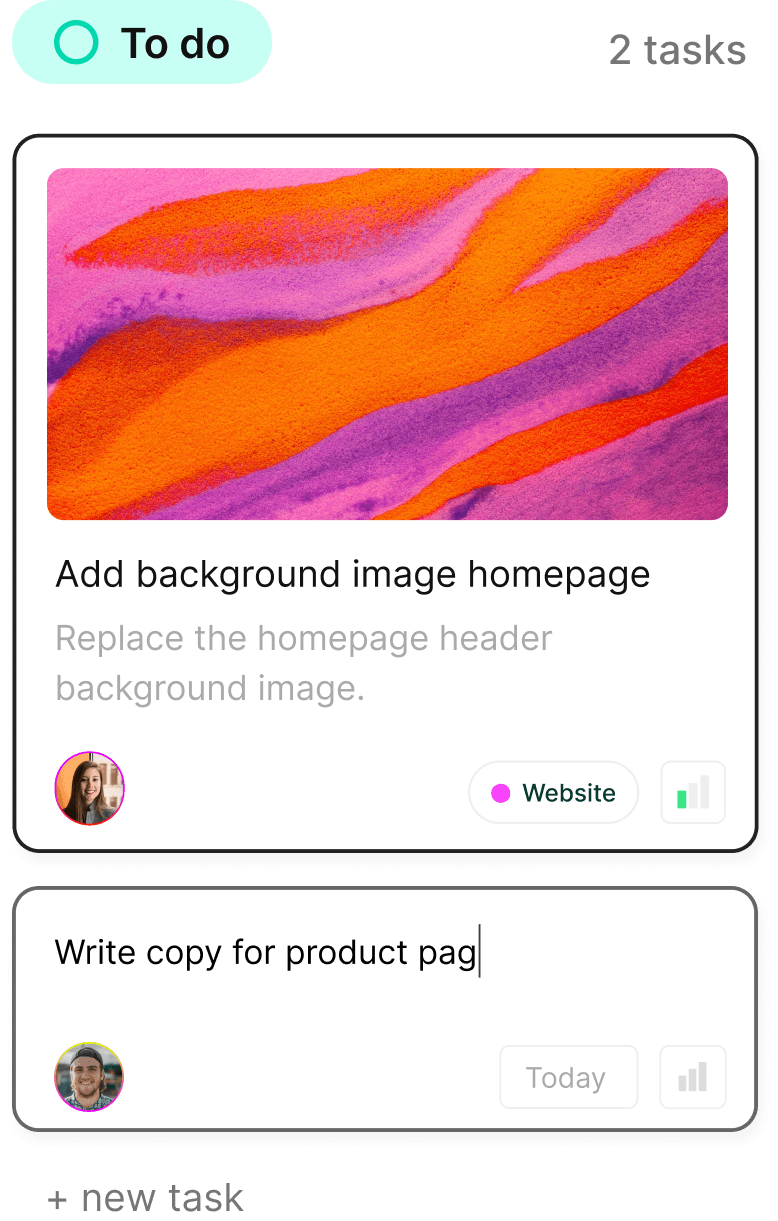
Turn chaos into clarity. Complex.so is here to help you organize your projects, one task at a time.
Turn chaos into clarity. Complex.so is here to help you organize your projects, one task at a time.