task-management
Jan 14, 2026
Most Task Managers Fail Because They Forget One Thing: Your Actual Work
Most Task Managers Fail Because They Forget One Thing: Your Actual Work
Most Task Managers Fail Because They Forget One Thing: Your Actual Work
Most task managers focus on lists and deadlines, but forget the place where real work actually happens. This article explains why that gap creates friction and how simpler tools can fix it.
Most task managers focus on lists and deadlines, but forget the place where real work actually happens. This article explains why that gap creates friction and how simpler tools can fix it.

By Pete Cranston
By Pete Cranston
By Pete Cranston
Growth at Complex.so
Growth at Complex.so
Growth at Complex.so
6 min read
6 min read
Complex.so is calm task management for real work
No separate docs. No noise. No unnecessary features.
Try it for free
Most task managers are great at one thing: listing tasks.
You can create tasks, tag them, assign them, color them, sort them, prioritize them, and move them between columns. You can do all of that very efficiently.
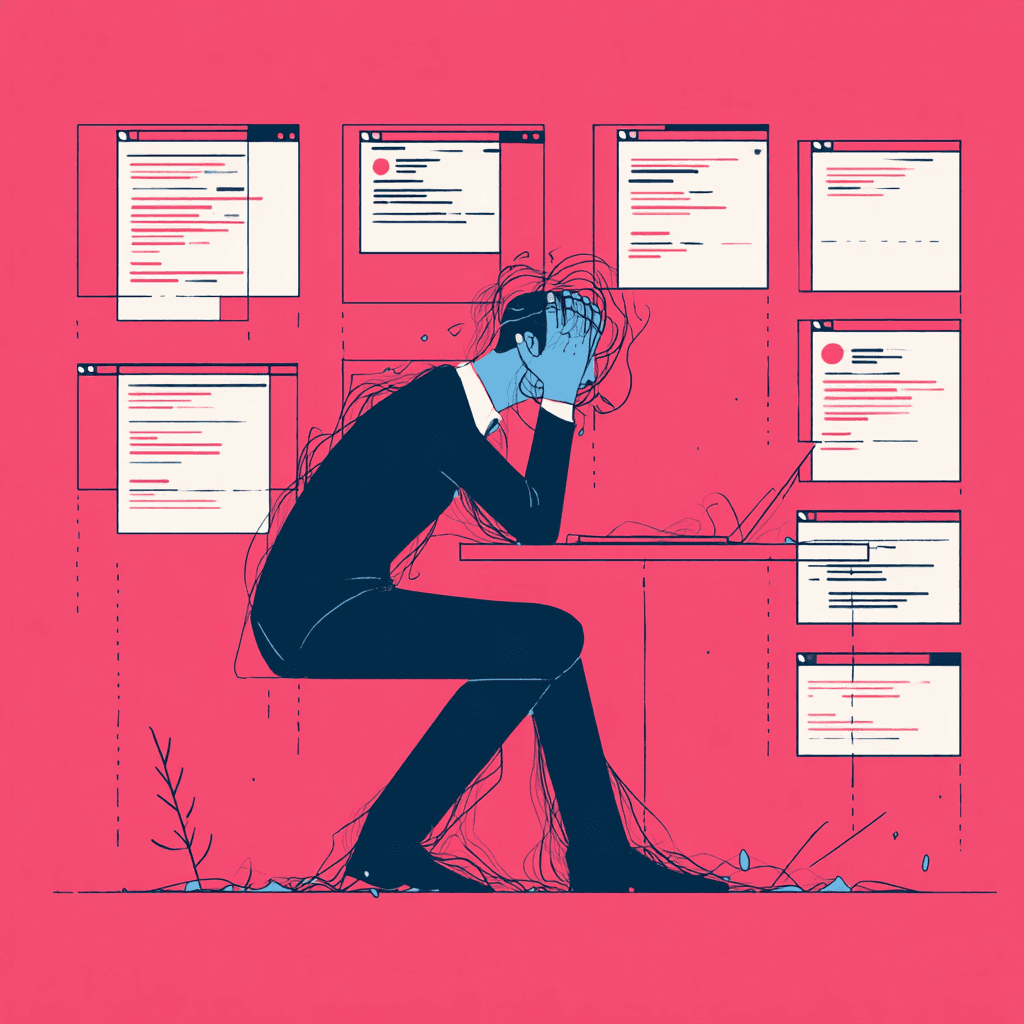
And yet, many people still feel overwhelmed.
This is often the first sign that the tool itself is part of the problem. We looked at this more broadly in do you really need a project management tool.
Not because they have too many tasks.
But because the real work does not live where the tasks are.
Tasks are not the work
Here is the uncomfortable truth most task tools avoid.
A task is rarely the work itself.
A task is usually just a reminder that work needs to happen somewhere else.
Write proposal
Prepare presentation
Plan website redesign
Outline blog post
Think about pricing
The task is just a label. The real work happens in a document, a note, a draft, a long explanation, or a messy brain dump that slowly turns into something useful.
Most task managers stop at the label.
They assume you will take care of the actual work somewhere else.
The invisible context switch
This is where things start to break down.
You open your task manager.
You click a task.
You realize you need to write, think, or plan.
So you open another tool.
A document app.
A notes app.
A whiteboard.
A messaging thread.
A random Google Doc.
Now your task and your work are separated.
Later, you come back to the task and ask yourself:
Where did I write that again?
Which doc was it?
Was it in Notion or Google Docs?
Did I paste it in Slack?
Was it in my notes?
This constant jumping is exhausting. And it adds friction that most people do not consciously notice.
They just feel tired.
More features do not fix this
Many task tools try to solve this by adding more things.
Chat
Comments
Attachments
Links
Mentions
Automations
Integrations
On paper, this sounds helpful.
In reality, it often makes things worse.
Now you are not just switching between tools. You are switching between mental modes. Task mode. Chat mode. Document mode. Planning mode.
The interface gets busier. The cognitive load increases. And the original problem remains.
The work still does not live inside the task.
Why documents and tasks drift apart
There is a reason this problem is so common.
Most task managers were designed around tracking, not thinking.
They are optimized for:
Visibility
Accountability
Status updates
Progress reporting
All useful things.
But actual work is often messy, nonlinear, and quiet.
It involves half-written thoughts. Notes that change direction. Questions that do not have answers yet. Ideas that need space before they make sense.
Traditional task managers do not like mess.
So they push real work out.
What happens when tasks are the workspace
When tasks open into real work instead of pointing to it, something changes.
You stop thinking in terms of tools and start thinking in terms of outcomes.
You click a task and everything is there:
Context
Notes
Drafts
Decisions
Files
Links
History
There is no second place to go.
No document to hunt for.
No separate system to maintain.
No mental overhead.
The task becomes the container for the work, not just the reminder.
This is not about replacing documents
This part is important.
This is not about removing documents entirely.
It is about where they live.
When documents live inside tasks:
You always know where your work is
You never lose context
You do not need to name or organize documents prematurely
You work forward instead of filing things away
The task becomes the natural home for thinking and doing.
Why this matters more for small teams and individuals
Large teams often accept complexity because they have to.
They need reporting. Layers. Roles. Permissions. Processes.
But individuals and small teams usually want one thing:
to get work done without friction.
They do not need ten tools.
They do not need constant notifications.
They do not need to turn every thought into a meeting.
They need clarity.
When tasks forget about actual work, people compensate by building their own systems on the side. Personal docs. Private notes. Hidden lists.
That is a sign the tool is failing them.
Calm tools respect how work actually happens
Real work is not clean.
It starts vague.
It changes shape.
It loops back on itself.
It improves slowly.

A good tool does not try to force structure too early.
It gives you space first, structure later.
Tasks that open into real work respect this process. They let you start messy and refine as you go. They adapt to how you think instead of asking you to think like the tool.
Why this problem keeps repeating
Many task managers copy each other.
They compete on features instead of fundamentals.
Kanban boards look familiar.
Lists feel safe.
Status fields look professional.
But copying surface-level patterns means copying the same blind spots.
As long as tasks remain disconnected from actual work, the problem stays.
The quiet difference users feel immediately
People often cannot explain why a tool feels better.
They just say things like:
It does not get in my way
I feel less scattered
I finally know where my work lives
I am not juggling tools anymore
That feeling comes from removing friction, not adding features.
It comes from respecting the fact that tasks are only useful if they support real work.
A simple question worth asking
If you are using a task manager today, ask yourself this:
When I click a task, can I actually do the work there?
If the answer is no, the tool is only doing half the job.
A good task needs context, notes, and space to think, which we explain in more detail in what a good task actually looks like.
And no amount of tags, views, or automations will fix that.
Final thought
Task managers do not fail because they are missing features.
They fail because they forget the most important thing.
Your actual work.
When tasks become the place where work happens, everything else becomes simpler.
And that is usually when people stop looking for a better tool.
Most task managers are great at one thing: listing tasks.
You can create tasks, tag them, assign them, color them, sort them, prioritize them, and move them between columns. You can do all of that very efficiently.
And yet, many people still feel overwhelmed.
This is often the first sign that the tool itself is part of the problem. We looked at this more broadly in do you really need a project management tool.
Not because they have too many tasks.
But because the real work does not live where the tasks are.
Tasks are not the work
Here is the uncomfortable truth most task tools avoid.
A task is rarely the work itself.
A task is usually just a reminder that work needs to happen somewhere else.
Write proposal
Prepare presentation
Plan website redesign
Outline blog post
Think about pricing
The task is just a label. The real work happens in a document, a note, a draft, a long explanation, or a messy brain dump that slowly turns into something useful.
Most task managers stop at the label.
They assume you will take care of the actual work somewhere else.
The invisible context switch
This is where things start to break down.
You open your task manager.
You click a task.
You realize you need to write, think, or plan.
So you open another tool.
A document app.
A notes app.
A whiteboard.
A messaging thread.
A random Google Doc.
Now your task and your work are separated.
Later, you come back to the task and ask yourself:
Where did I write that again?
Which doc was it?
Was it in Notion or Google Docs?
Did I paste it in Slack?
Was it in my notes?
This constant jumping is exhausting. And it adds friction that most people do not consciously notice.
They just feel tired.
More features do not fix this
Many task tools try to solve this by adding more things.
Chat
Comments
Attachments
Links
Mentions
Automations
Integrations
On paper, this sounds helpful.
In reality, it often makes things worse.
Now you are not just switching between tools. You are switching between mental modes. Task mode. Chat mode. Document mode. Planning mode.
The interface gets busier. The cognitive load increases. And the original problem remains.
The work still does not live inside the task.
Why documents and tasks drift apart
There is a reason this problem is so common.
Most task managers were designed around tracking, not thinking.
They are optimized for:
Visibility
Accountability
Status updates
Progress reporting
All useful things.
But actual work is often messy, nonlinear, and quiet.
It involves half-written thoughts. Notes that change direction. Questions that do not have answers yet. Ideas that need space before they make sense.
Traditional task managers do not like mess.
So they push real work out.
What happens when tasks are the workspace
When tasks open into real work instead of pointing to it, something changes.
You stop thinking in terms of tools and start thinking in terms of outcomes.
You click a task and everything is there:
Context
Notes
Drafts
Decisions
Files
Links
History
There is no second place to go.
No document to hunt for.
No separate system to maintain.
No mental overhead.
The task becomes the container for the work, not just the reminder.
This is not about replacing documents
This part is important.
This is not about removing documents entirely.
It is about where they live.
When documents live inside tasks:
You always know where your work is
You never lose context
You do not need to name or organize documents prematurely
You work forward instead of filing things away
The task becomes the natural home for thinking and doing.
Why this matters more for small teams and individuals
Large teams often accept complexity because they have to.
They need reporting. Layers. Roles. Permissions. Processes.
But individuals and small teams usually want one thing:
to get work done without friction.
They do not need ten tools.
They do not need constant notifications.
They do not need to turn every thought into a meeting.
They need clarity.
When tasks forget about actual work, people compensate by building their own systems on the side. Personal docs. Private notes. Hidden lists.
That is a sign the tool is failing them.
Calm tools respect how work actually happens
Real work is not clean.
It starts vague.
It changes shape.
It loops back on itself.
It improves slowly.
A good tool does not try to force structure too early.
It gives you space first, structure later.
Tasks that open into real work respect this process. They let you start messy and refine as you go. They adapt to how you think instead of asking you to think like the tool.
Why this problem keeps repeating
Many task managers copy each other.
They compete on features instead of fundamentals.
Kanban boards look familiar.
Lists feel safe.
Status fields look professional.
But copying surface-level patterns means copying the same blind spots.
As long as tasks remain disconnected from actual work, the problem stays.
The quiet difference users feel immediately
People often cannot explain why a tool feels better.
They just say things like:
It does not get in my way
I feel less scattered
I finally know where my work lives
I am not juggling tools anymore
That feeling comes from removing friction, not adding features.
It comes from respecting the fact that tasks are only useful if they support real work.
A simple question worth asking
If you are using a task manager today, ask yourself this:
When I click a task, can I actually do the work there?
If the answer is no, the tool is only doing half the job.
A good task needs context, notes, and space to think, which we explain in more detail in what a good task actually looks like.
And no amount of tags, views, or automations will fix that.
Final thought
Task managers do not fail because they are missing features.
They fail because they forget the most important thing.
Your actual work.
When tasks become the place where work happens, everything else becomes simpler.
And that is usually when people stop looking for a better tool.
Most task managers are great at one thing: listing tasks.
You can create tasks, tag them, assign them, color them, sort them, prioritize them, and move them between columns. You can do all of that very efficiently.
And yet, many people still feel overwhelmed.
This is often the first sign that the tool itself is part of the problem. We looked at this more broadly in do you really need a project management tool.
Not because they have too many tasks.
But because the real work does not live where the tasks are.
Tasks are not the work
Here is the uncomfortable truth most task tools avoid.
A task is rarely the work itself.
A task is usually just a reminder that work needs to happen somewhere else.
Write proposal
Prepare presentation
Plan website redesign
Outline blog post
Think about pricing
The task is just a label. The real work happens in a document, a note, a draft, a long explanation, or a messy brain dump that slowly turns into something useful.
Most task managers stop at the label.
They assume you will take care of the actual work somewhere else.
The invisible context switch
This is where things start to break down.
You open your task manager.
You click a task.
You realize you need to write, think, or plan.
So you open another tool.
A document app.
A notes app.
A whiteboard.
A messaging thread.
A random Google Doc.
Now your task and your work are separated.
Later, you come back to the task and ask yourself:
Where did I write that again?
Which doc was it?
Was it in Notion or Google Docs?
Did I paste it in Slack?
Was it in my notes?
This constant jumping is exhausting. And it adds friction that most people do not consciously notice.
They just feel tired.
More features do not fix this
Many task tools try to solve this by adding more things.
Chat
Comments
Attachments
Links
Mentions
Automations
Integrations
On paper, this sounds helpful.
In reality, it often makes things worse.
Now you are not just switching between tools. You are switching between mental modes. Task mode. Chat mode. Document mode. Planning mode.
The interface gets busier. The cognitive load increases. And the original problem remains.
The work still does not live inside the task.
Why documents and tasks drift apart
There is a reason this problem is so common.
Most task managers were designed around tracking, not thinking.
They are optimized for:
Visibility
Accountability
Status updates
Progress reporting
All useful things.
But actual work is often messy, nonlinear, and quiet.
It involves half-written thoughts. Notes that change direction. Questions that do not have answers yet. Ideas that need space before they make sense.
Traditional task managers do not like mess.
So they push real work out.
What happens when tasks are the workspace
When tasks open into real work instead of pointing to it, something changes.
You stop thinking in terms of tools and start thinking in terms of outcomes.
You click a task and everything is there:
Context
Notes
Drafts
Decisions
Files
Links
History
There is no second place to go.
No document to hunt for.
No separate system to maintain.
No mental overhead.
The task becomes the container for the work, not just the reminder.
This is not about replacing documents
This part is important.
This is not about removing documents entirely.
It is about where they live.
When documents live inside tasks:
You always know where your work is
You never lose context
You do not need to name or organize documents prematurely
You work forward instead of filing things away
The task becomes the natural home for thinking and doing.
Why this matters more for small teams and individuals
Large teams often accept complexity because they have to.
They need reporting. Layers. Roles. Permissions. Processes.
But individuals and small teams usually want one thing:
to get work done without friction.
They do not need ten tools.
They do not need constant notifications.
They do not need to turn every thought into a meeting.
They need clarity.
When tasks forget about actual work, people compensate by building their own systems on the side. Personal docs. Private notes. Hidden lists.
That is a sign the tool is failing them.
Calm tools respect how work actually happens
Real work is not clean.
It starts vague.
It changes shape.
It loops back on itself.
It improves slowly.
A good tool does not try to force structure too early.
It gives you space first, structure later.
Tasks that open into real work respect this process. They let you start messy and refine as you go. They adapt to how you think instead of asking you to think like the tool.
Why this problem keeps repeating
Many task managers copy each other.
They compete on features instead of fundamentals.
Kanban boards look familiar.
Lists feel safe.
Status fields look professional.
But copying surface-level patterns means copying the same blind spots.
As long as tasks remain disconnected from actual work, the problem stays.
The quiet difference users feel immediately
People often cannot explain why a tool feels better.
They just say things like:
It does not get in my way
I feel less scattered
I finally know where my work lives
I am not juggling tools anymore
That feeling comes from removing friction, not adding features.
It comes from respecting the fact that tasks are only useful if they support real work.
A simple question worth asking
If you are using a task manager today, ask yourself this:
When I click a task, can I actually do the work there?
If the answer is no, the tool is only doing half the job.
A good task needs context, notes, and space to think, which we explain in more detail in what a good task actually looks like.
And no amount of tags, views, or automations will fix that.
Final thought
Task managers do not fail because they are missing features.
They fail because they forget the most important thing.
Your actual work.
When tasks become the place where work happens, everything else becomes simpler.
And that is usually when people stop looking for a better tool.
Complex.so is project management, beautifully simplified for small teams
More in
More in
More in
task-management
task-management
task-management
task-management
Feb 23, 2026
Best Task Management Tool for Small Teams Who Hate Complexity
Small teams do not need more features. They need clarity. This article explores why simpler task management tools outperform complex systems like Notion and Todoist for teams that value focus, speed, and real execution.
task-management
Feb 23, 2026
Best Task Management Tool for Small Teams Who Hate Complexity
Small teams do not need more features. They need clarity. This article explores why simpler task management tools outperform complex systems like Notion and Todoist for teams that value focus, speed, and real execution.
task-management
Feb 23, 2026
Best Task Management Tool for Small Teams Who Hate Complexity
Small teams do not need more features. They need clarity. This article explores why simpler task management tools outperform complex systems like Notion and Todoist for teams that value focus, speed, and real execution.

task-management
Jan 30, 2026
Simple Task Management Software That Replaces Notion and Todoist
Not everyone needs a complex productivity system. Simple task management software offers a calmer, faster way to handle tasks without the overhead of Notion or Todoist.
task-management
Jan 30, 2026
Simple Task Management Software That Replaces Notion and Todoist
Not everyone needs a complex productivity system. Simple task management software offers a calmer, faster way to handle tasks without the overhead of Notion or Todoist.
task-management
Jan 30, 2026
Simple Task Management Software That Replaces Notion and Todoist
Not everyone needs a complex productivity system. Simple task management software offers a calmer, faster way to handle tasks without the overhead of Notion or Todoist.
Boost your productivity today—tackle your to-dos like a pro!
Boost your productivity today—tackle your to-dos like a pro!
Boost your productivity today—tackle your to-dos like a pro!
Turn chaos into clarity. Complex.so is here to help you organize your projects, one task at a time.
Turn chaos into clarity. Complex.so is here to help you organize your projects, one task at a time.