project-collaboration
Dec 24, 2025
Do You Really Need a Full Project Management Tool? (Probably Not)
Do You Really Need a Full Project Management Tool? (Probably Not)
Do You Really Need a Full Project Management Tool? (Probably Not)
Most teams don’t fail because they lack features. They fail because their tools are too heavy to use every day. In this article, we look at why simpler task and document tools often work better than full project management suites.
Most teams don’t fail because they lack features. They fail because their tools are too heavy to use every day. In this article, we look at why simpler task and document tools often work better than full project management suites.

By Pete Cranston
By Pete Cranston
By Pete Cranston
Growth at Complex.so
Growth at Complex.so
Growth at Complex.so
8 min read
8 min read
Complex.so is calm task management for real work
No separate docs. No noise. No unnecessary features.
Try it for free
If you have ever signed up for a project management tool and closed it again five minutes later, you are not alone.
It usually starts the same way.
You just want to keep track of a few tasks.
Maybe share some notes with a teammate.
Nothing fancy.
Then suddenly you are asked to create a workspace, choose a methodology, set up automations, define permissions, connect calendars, invite users, configure dashboards, and learn a dozen new terms you did not ask for.
Before you even add your first task, you are already tired.
So let’s ask the honest question.
Do you really need a full project management tool?
When big tools make sense
Let’s be fair. Big tools exist for a reason.
If you run a large team, have multiple departments, strict processes, reporting requirements, and long-term roadmaps, then tools like Notion, ClickUp, Monday, or Jira can be a good fit.
They are powerful.
They are flexible.
They can handle almost anything.
But power always comes with a cost. Complexity.
And most people do not work like enterprises.
The reality for small teams and solo builders
Most teams are small.
Two to five people.
Sometimes even just one person.
You are juggling work, clients, ideas, notes, and deadlines.
You do not need workflows.
You need clarity.
What am I working on today?
What is next?
Where did I write that note?
That is it.
This is something we see again and again from people who try Complex.so. Many of them come from bigger tools. They tell us the same thing.
“I just wanted something simple.”
“I stopped using my old tool because it was too much.”
“I ended up back in notes and reminders.”
That is usually the sign that the tool is not helping anymore.
Tasks and documents are not separate things
One of the biggest problems with many tools is that tasks live in one place and documents live somewhere else.
You write a task.
Then you open a doc.
Then you copy things around.
Then you lose context.
In real life, a task usually needs notes.
And a document often becomes a task.
That is why at Complex.so, tasks open like documents. You can write inside them, think inside them, and keep everything together.
You can read more about how we think about how a task should look like here.
Most people do not need ten views of the same thing
Another common pattern is choice overload.
List view.
Board view.
Timeline.
Calendar.
Gantt.
Chart.
You spend more time switching views than doing the work.
A simple task list, grouped by project, already covers most needs. Kanban boards can be helpful too, as long as they stay simple.
If you are curious why visual task organization works so well for creative and small teams, this article explains it nicely: visual task organization
Simple does not mean limited
There is a myth that simple tools are only for beginners.
That is not true.
Simple tools are often the ones that last. They get opened every day. They do not get in the way.
Email is simple.
Notes are simple.
Checklists are simple.
They work because they respect your time.
This is also why many people are actively searching for alternatives to heavy tools. If you are currently using something like Basecamp, Trello, or Notion, you might recognize this feeling:
What to look for instead
If you are evaluating a tool today, ask yourself a few simple questions.
Can I add a task in one second?
Can I see everything I need today in one place?
Can I write notes where the work actually happens?
Does it feel calm?
If the answer is no, the tool might be too heavy for what you actually need.

A quieter way to work
Complex.so was built with this exact idea in mind.
Tasks and documents together.
A clear My Tasks view that acts as your home.
Projects that stay out of the way unless you need them.
No pressure to set everything up perfectly.
If you want to see how it works, you can start here:
https://complex.so/starting-guide
There is a seven day trial. No free forever plan. No complicated pricing. Just try it and see if it fits your way of working.
Because in the end, the best tool is not the one with the most features.
It is the one you actually use.
If you have ever signed up for a project management tool and closed it again five minutes later, you are not alone.
It usually starts the same way.
You just want to keep track of a few tasks.
Maybe share some notes with a teammate.
Nothing fancy.
Then suddenly you are asked to create a workspace, choose a methodology, set up automations, define permissions, connect calendars, invite users, configure dashboards, and learn a dozen new terms you did not ask for.
Before you even add your first task, you are already tired.
So let’s ask the honest question.
Do you really need a full project management tool?
When big tools make sense
Let’s be fair. Big tools exist for a reason.
If you run a large team, have multiple departments, strict processes, reporting requirements, and long-term roadmaps, then tools like Notion, ClickUp, Monday, or Jira can be a good fit.
They are powerful.
They are flexible.
They can handle almost anything.
But power always comes with a cost. Complexity.
And most people do not work like enterprises.
The reality for small teams and solo builders
Most teams are small.
Two to five people.
Sometimes even just one person.
You are juggling work, clients, ideas, notes, and deadlines.
You do not need workflows.
You need clarity.
What am I working on today?
What is next?
Where did I write that note?
That is it.
This is something we see again and again from people who try Complex.so. Many of them come from bigger tools. They tell us the same thing.
“I just wanted something simple.”
“I stopped using my old tool because it was too much.”
“I ended up back in notes and reminders.”
That is usually the sign that the tool is not helping anymore.
Tasks and documents are not separate things
One of the biggest problems with many tools is that tasks live in one place and documents live somewhere else.
You write a task.
Then you open a doc.
Then you copy things around.
Then you lose context.
In real life, a task usually needs notes.
And a document often becomes a task.
That is why at Complex.so, tasks open like documents. You can write inside them, think inside them, and keep everything together.
You can read more about how we think about how a task should look like here.
Most people do not need ten views of the same thing
Another common pattern is choice overload.
List view.
Board view.
Timeline.
Calendar.
Gantt.
Chart.
You spend more time switching views than doing the work.
A simple task list, grouped by project, already covers most needs. Kanban boards can be helpful too, as long as they stay simple.
If you are curious why visual task organization works so well for creative and small teams, this article explains it nicely: visual task organization
Simple does not mean limited
There is a myth that simple tools are only for beginners.
That is not true.
Simple tools are often the ones that last. They get opened every day. They do not get in the way.
Email is simple.
Notes are simple.
Checklists are simple.
They work because they respect your time.
This is also why many people are actively searching for alternatives to heavy tools. If you are currently using something like Basecamp, Trello, or Notion, you might recognize this feeling:
What to look for instead
If you are evaluating a tool today, ask yourself a few simple questions.
Can I add a task in one second?
Can I see everything I need today in one place?
Can I write notes where the work actually happens?
Does it feel calm?
If the answer is no, the tool might be too heavy for what you actually need.
A quieter way to work
Complex.so was built with this exact idea in mind.
Tasks and documents together.
A clear My Tasks view that acts as your home.
Projects that stay out of the way unless you need them.
No pressure to set everything up perfectly.
If you want to see how it works, you can start here:
https://complex.so/starting-guide
There is a seven day trial. No free forever plan. No complicated pricing. Just try it and see if it fits your way of working.
Because in the end, the best tool is not the one with the most features.
It is the one you actually use.
If you have ever signed up for a project management tool and closed it again five minutes later, you are not alone.
It usually starts the same way.
You just want to keep track of a few tasks.
Maybe share some notes with a teammate.
Nothing fancy.
Then suddenly you are asked to create a workspace, choose a methodology, set up automations, define permissions, connect calendars, invite users, configure dashboards, and learn a dozen new terms you did not ask for.
Before you even add your first task, you are already tired.
So let’s ask the honest question.
Do you really need a full project management tool?
When big tools make sense
Let’s be fair. Big tools exist for a reason.
If you run a large team, have multiple departments, strict processes, reporting requirements, and long-term roadmaps, then tools like Notion, ClickUp, Monday, or Jira can be a good fit.
They are powerful.
They are flexible.
They can handle almost anything.
But power always comes with a cost. Complexity.
And most people do not work like enterprises.
The reality for small teams and solo builders
Most teams are small.
Two to five people.
Sometimes even just one person.
You are juggling work, clients, ideas, notes, and deadlines.
You do not need workflows.
You need clarity.
What am I working on today?
What is next?
Where did I write that note?
That is it.
This is something we see again and again from people who try Complex.so. Many of them come from bigger tools. They tell us the same thing.
“I just wanted something simple.”
“I stopped using my old tool because it was too much.”
“I ended up back in notes and reminders.”
That is usually the sign that the tool is not helping anymore.
Tasks and documents are not separate things
One of the biggest problems with many tools is that tasks live in one place and documents live somewhere else.
You write a task.
Then you open a doc.
Then you copy things around.
Then you lose context.
In real life, a task usually needs notes.
And a document often becomes a task.
That is why at Complex.so, tasks open like documents. You can write inside them, think inside them, and keep everything together.
You can read more about how we think about how a task should look like here.
Most people do not need ten views of the same thing
Another common pattern is choice overload.
List view.
Board view.
Timeline.
Calendar.
Gantt.
Chart.
You spend more time switching views than doing the work.
A simple task list, grouped by project, already covers most needs. Kanban boards can be helpful too, as long as they stay simple.
If you are curious why visual task organization works so well for creative and small teams, this article explains it nicely: visual task organization
Simple does not mean limited
There is a myth that simple tools are only for beginners.
That is not true.
Simple tools are often the ones that last. They get opened every day. They do not get in the way.
Email is simple.
Notes are simple.
Checklists are simple.
They work because they respect your time.
This is also why many people are actively searching for alternatives to heavy tools. If you are currently using something like Basecamp, Trello, or Notion, you might recognize this feeling:
What to look for instead
If you are evaluating a tool today, ask yourself a few simple questions.
Can I add a task in one second?
Can I see everything I need today in one place?
Can I write notes where the work actually happens?
Does it feel calm?
If the answer is no, the tool might be too heavy for what you actually need.
A quieter way to work
Complex.so was built with this exact idea in mind.
Tasks and documents together.
A clear My Tasks view that acts as your home.
Projects that stay out of the way unless you need them.
No pressure to set everything up perfectly.
If you want to see how it works, you can start here:
https://complex.so/starting-guide
There is a seven day trial. No free forever plan. No complicated pricing. Just try it and see if it fits your way of working.
Because in the end, the best tool is not the one with the most features.
It is the one you actually use.
Complex.so is project management, beautifully simplified for small teams
More in
More in
More in
project-collaboration
project-collaboration
project-collaboration

project-collaboration
Jan 20, 2026
The Calm Alternative to Project Management Tools That Try to Do Everything
Project management tools with every feature often overwhelm users and hide the actual work. This article explains why a calmer alternative that keeps work at the center can help you focus, reduce friction, and get more done.
project-collaboration
Jan 20, 2026
The Calm Alternative to Project Management Tools That Try to Do Everything
Project management tools with every feature often overwhelm users and hide the actual work. This article explains why a calmer alternative that keeps work at the center can help you focus, reduce friction, and get more done.
project-collaboration
Jan 20, 2026
The Calm Alternative to Project Management Tools That Try to Do Everything
Project management tools with every feature often overwhelm users and hide the actual work. This article explains why a calmer alternative that keeps work at the center can help you focus, reduce friction, and get more done.
project-collaboration
Jan 6, 2026
Why I Built a Project Management Tool Without Chat, Message Boards, or Noise
Most project management tools add chat, message boards, and endless layers that create more distraction. Here’s why I built Complex.so to stay focused on tasks, documents, and calm work, with a simple calendar view when you need it.
project-collaboration
Jan 6, 2026
Why I Built a Project Management Tool Without Chat, Message Boards, or Noise
Most project management tools add chat, message boards, and endless layers that create more distraction. Here’s why I built Complex.so to stay focused on tasks, documents, and calm work, with a simple calendar view when you need it.
project-collaboration
Jan 6, 2026
Why I Built a Project Management Tool Without Chat, Message Boards, or Noise
Most project management tools add chat, message boards, and endless layers that create more distraction. Here’s why I built Complex.so to stay focused on tasks, documents, and calm work, with a simple calendar view when you need it.
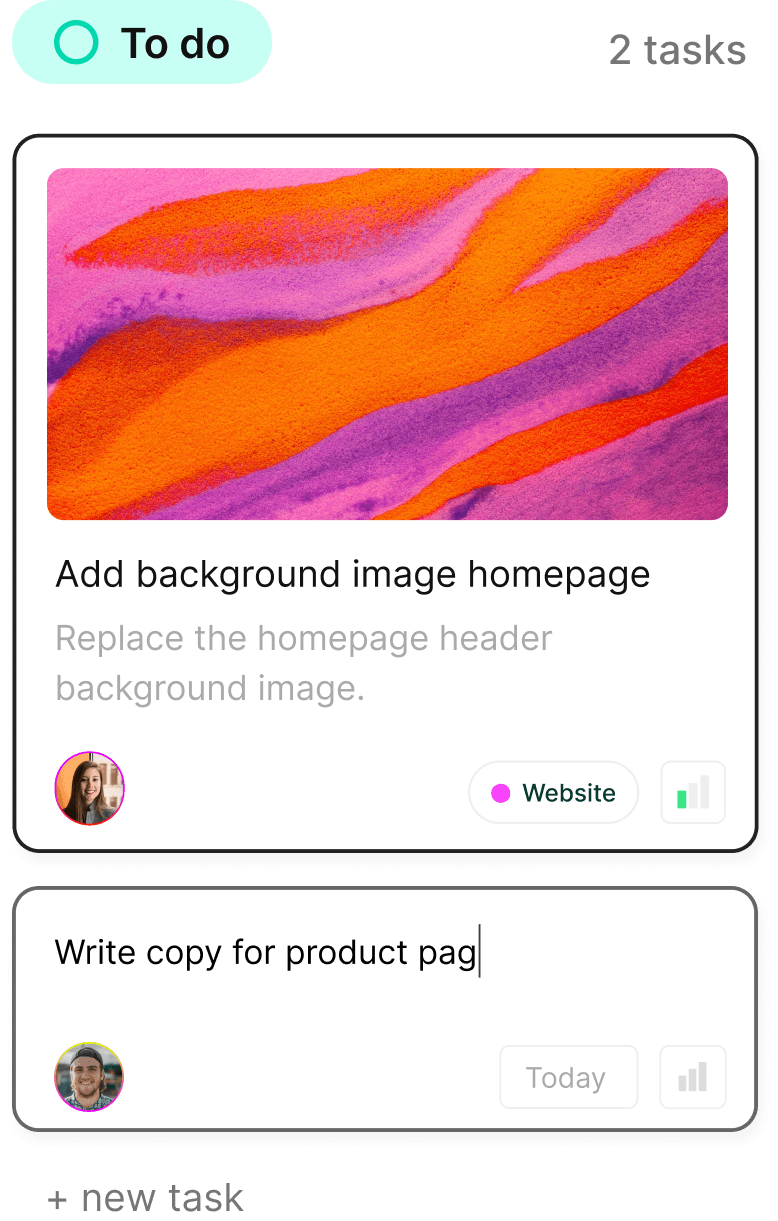
Boost your productivity today—tackle your to-dos like a pro!
Boost your productivity today—tackle your to-dos like a pro!
Boost your productivity today—tackle your to-dos like a pro!
Turn chaos into clarity. Complex.so is here to help you organize your projects, one task at a time.
Turn chaos into clarity. Complex.so is here to help you organize your projects, one task at a time.